Android Nougat for Toradex Apalis i.MX6Q
Introduction
The Toradex Apalis iMX6 is a small form-factor Computer on Module/System on Module that comes in both quad core and dual core versions based on NXP i.MX 6Q and NXP i.MX 6D SoCs respectively. The Cortex A9 quad core and dual core CPU comes with two variants: the commercial temperature one peaks at 1 GHz, while the industrial temperature one has a peak frequency of 800 MHz.
After the release of the vanilla image of Android 7.1.2 (Nougat) for both the Toradex Colibri i.MX7D and i.MX6DL SOM, Kynetics is excited to release an image of Android Nougat for the Toradex Apalis i.MX6Q SOM compatible with the Ixora carrier board.
The image supports OTA updates through Update Factory.
At a glance
Platform: Toradex Apalis i.MX6Q · SoC: NXP i.MX6 Quad · Android: 7.1.2 (Nougat) · Kernel: 4.9
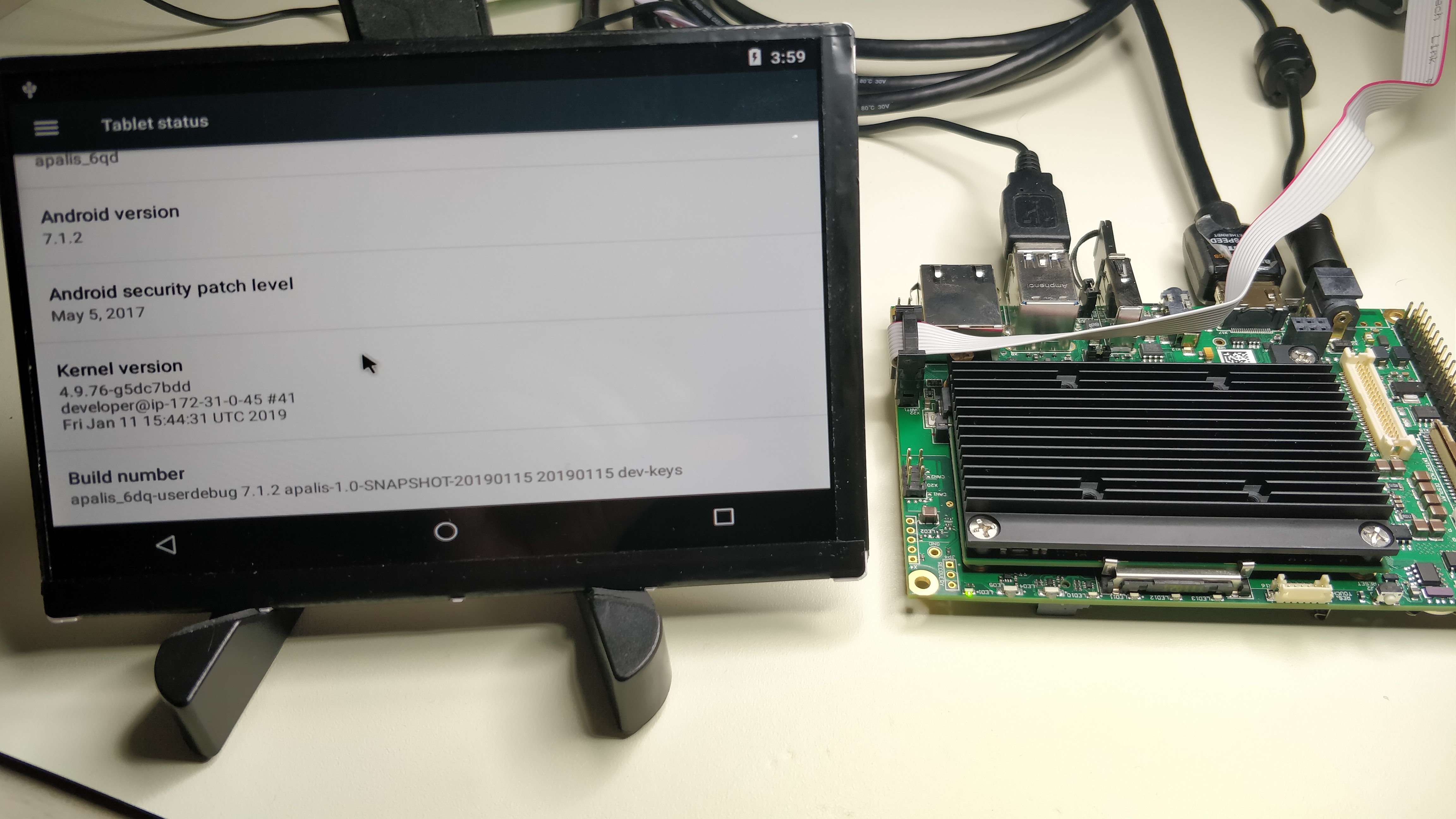
This BSP delivers Android 7.1.2 Nougat to the Toradex Apalis i.MX6Q platform, supporting both HDMI and the Toradex 7-inch capacitive parallel display on the Ixora V1.1 carrier board. Supports OTA updates via Update Factory and installation through Toradex Easy Installer.
Release Notes
Here are some important remarks about our build:
- Android 7.1.2, U-Boot 2017.03, Linux Kernel 4.9
- Compatible with:
- Toradex Apalis i.MX6 Quad SOM 1GB RAM
- Toradex Ixora V1.1 carrier board
- 7.0” WVGA 800 x 3 (RGB) x 480 capacitive display parallel from Toradex
- Any HDMI display up to a resolution of 1920x1080
- Userdebug build with permissive SELinux and disabled DM-Verity
- OTA update can be deployed by using Update Factory: learn more about our Android client for Update Factory
Flash instructions
The following steps will guide you through the installation of Android 7.1.2 on the Toradex Ixora V1.1 board with Apalis i.MX6 SOM.
Hardware requirements
- Toradex Ixora carrier board with Apalis i.MX6 Quad SOM 1GB RAM
- One USB drive of at least 2GB
- 7.0” WVGA 800 x 3 (RGB) x 480 capacitive display parallel from Toradex or an HDMI display
- One USB mouse
- 12V power supply
- A host computer running GNU/Linux, MacOS or Windows
Software requirements
- Kynetics Android for Apalis i.MX6 binaries package, can be downloaded from here.
- Toradex Easy Installer (version >= 1.4) installed on the Apalis i.MX6 SOM
- Follow the instructions from Toradex to flash the Easy Installer if it is not already running on your board or if you need to update it.
Hardware preparation
- Connect the HDMI display (X17) or the 7” capacitive display to the Ixora board (X15 and X24)
- Connect a mouse to the USB port X7 or X8 (upper port)
Installation procedure
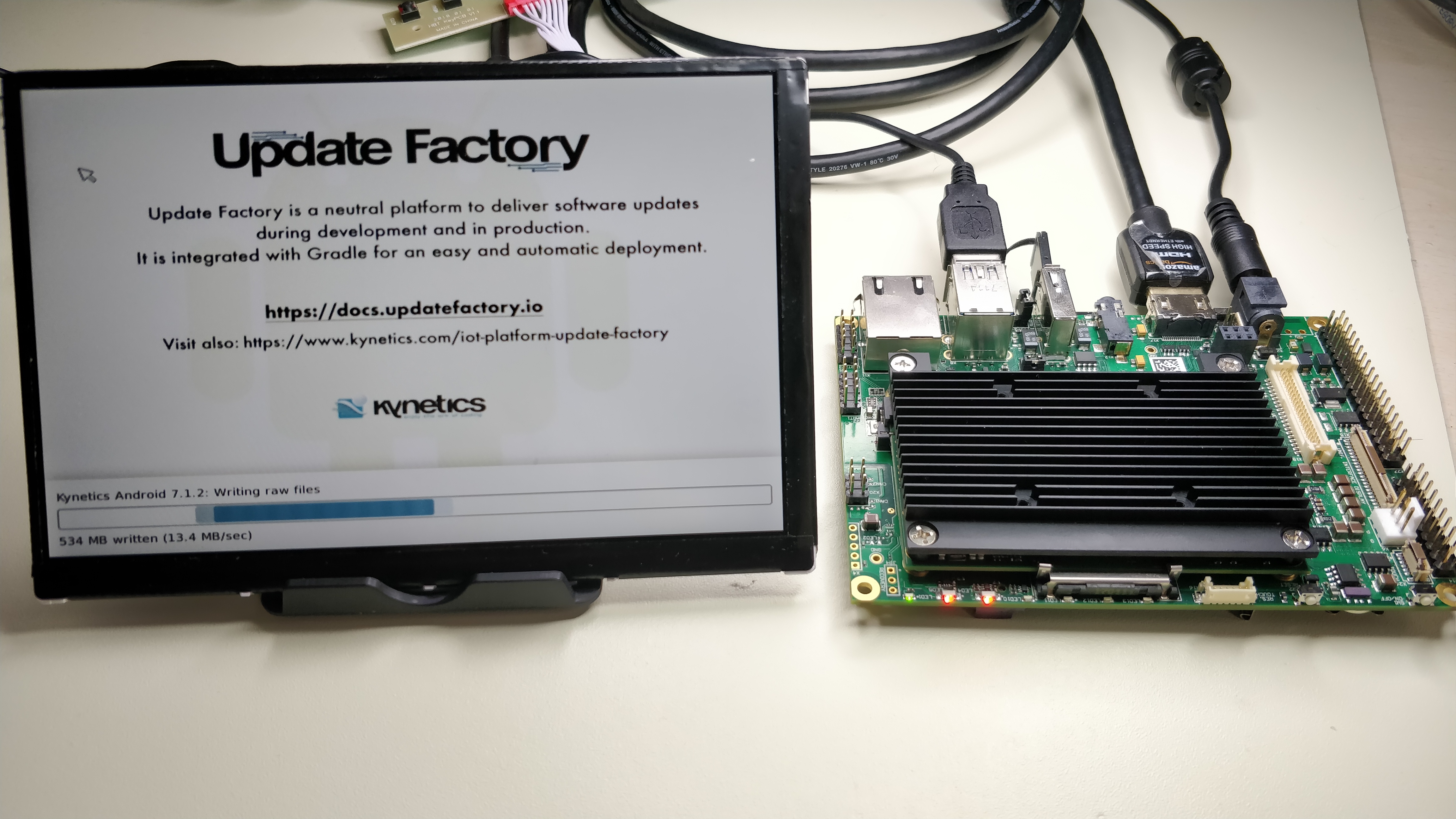
Proceed with the following steps to install Android Nougat on the Toradex Ixora board with Apalis i.MX6 SOM.
- Unpack the Kynetics Android for Apalis i.MX6 binaries package in the first partition of the USB drive.
- The partition should be formatted in FAT32.
- Power on the board and start the Toradex Easy Installer.
- Plug in the USB drive in the USB port on the connector X7 or X8 (upper port).
- The display will show the Kynetics Android 7.1.2 image available.
- Double click with the mouse on the Kynetics Android 7.1.2 description and confirm with 'Yes' to start the installation procedure.
- After some minutes, the Easy Installer will ask to reboot the board. Confirm and reboot the board.
- The new Android 7.1.2 should start.
Configure the touch controller
The Atmel touch controller needs to be flashed with a configuration file in order to have a working touchscreen. Usually, the display comes already configured correctly. If the touch is working fine on your unit, you can skip this point.
The controller configuration is a one time task and it is independent from the OS, so if you have already flashed the configuration on the chip, you can skip this point. If the board is connected only to the HDMI display, you can skip this point.
To flash the configuration file, both the flashing app and the configuration file needs to be prepared.
The configuration file is provided by Toradex here.
NOTE: Do not rename the xcfg file.
When both the files are available, connect the board to the host computer, and from the host computer run the following commands:
$ adb root$ adb push mxt-app /data/media/0/mxt-app$ adb push LTCTP070-3-GG_mXT1066T2_tdx_20170911.xcfg /data/media/0/LTCTP070-3-GG_mXT1066T2_tdx_20170911.xcfg$ adb shell# cd /data/media/0/# chmod a+x mxt-app# ./mxt-app -d i2c-dev:1-004a --load LTCTP070-3-GG_mXT1066T2_tdx_20170911.xcfg# reboot
After reboot, the touchscreen will work and you are ready to enjoy Android on the i.MX6 Apalis System.
Q&A
- How long the installation procedure will take?
- The Easy Installer needs about 3 minutes to flash Android, however this depends on the USB drive speed.
- Is it possible to use a different display?
- On Android, the default display is the FUSION 7 (the capacitive display from Toradex). The HDMI port is also working but with a default resolution of 640x480. To change these settings, it is necessary to set an U-Boot environment variable. As an example, to set the HDMI display as default with a 1280x720 resolution, enter the U-Boot console and type:
- $ setenv bootargs_video video=mxcfb0:dev=hdmi,1280x720@60
- $ saveenv
- $ res
- Refer to the Toradex documentation for further video options.
- On Android, the default display is the FUSION 7 (the capacitive display from Toradex). The HDMI port is also working but with a default resolution of 640x480. To change these settings, it is necessary to set an U-Boot environment variable. As an example, to set the HDMI display as default with a 1280x720 resolution, enter the U-Boot console and type:
- Is ADB available?
- Yes, ADB works using the microUSB port on connector X8. Note that in order to have ADB working the port should work as USB device port: the jumper JP2 should be configured as open. If the jumper is closed, the port works as USB host port and it is possible to use it with a mouse or a USB drive. Refer to the Ixora datasheet for further informations.
Frequently Asked Questions
Which Toradex Apalis i.MX6 variants are supported?
This release is compatible with the Toradex Apalis i.MX6 Quad SOM with 1 GB RAM, paired with the Ixora V1.1 carrier board. Both commercial and industrial temperature variants of the Cortex-A9 processor are supported.
What display options are available?
The BSP supports both the Toradex 7-inch WVGA (800×480) capacitive parallel display and any HDMI monitor up to 1920×1080. The default display output can be changed via a U-Boot environment variable, as described in the Q&A section above.
How do I install Android on the Apalis i.MX6Q?
Download the Kynetics Android for Apalis i.MX6 binaries package from the Kynetics website, unpack it onto a FAT32-formatted USB drive, and use the Toradex Easy Installer (version 1.4 or later) to flash the image onto the device.
Can I perform over-the-air (OTA) updates?
Yes. OTA updates are supported via Update Factory. Install the Kynetics Android client on your device and connect it to an Update Factory instance to deploy application and system updates remotely.
Why is the Android version 7.1.2 and not a newer release?
This release targets the Toradex Apalis i.MX6Q platform, which is optimized for stability and long-term availability. Android 7.1.2 (Nougat) was the latest version supported by the NXP BSP for this SoC family at the time of release. Contact Kynetics for information on newer Android versions for this platform.
Enjoy the Art of Coding™